This post is also available in other languages:



Content Reuse Policy
You may reproduce or adapt this content for educational or commercial use with proper attribution and a link to: the original blog post Include a visible credit near the reused content with a standard hyperlink to the source.
ELERON BMW 4 Series (F32/F33/F36) + M3 (F80) / M4 (F82/F83) Headlights Guide — ICON / CSL-GTS Tri-Color & Snake-Eye (E-Mark, Fitment, Pin Guide)
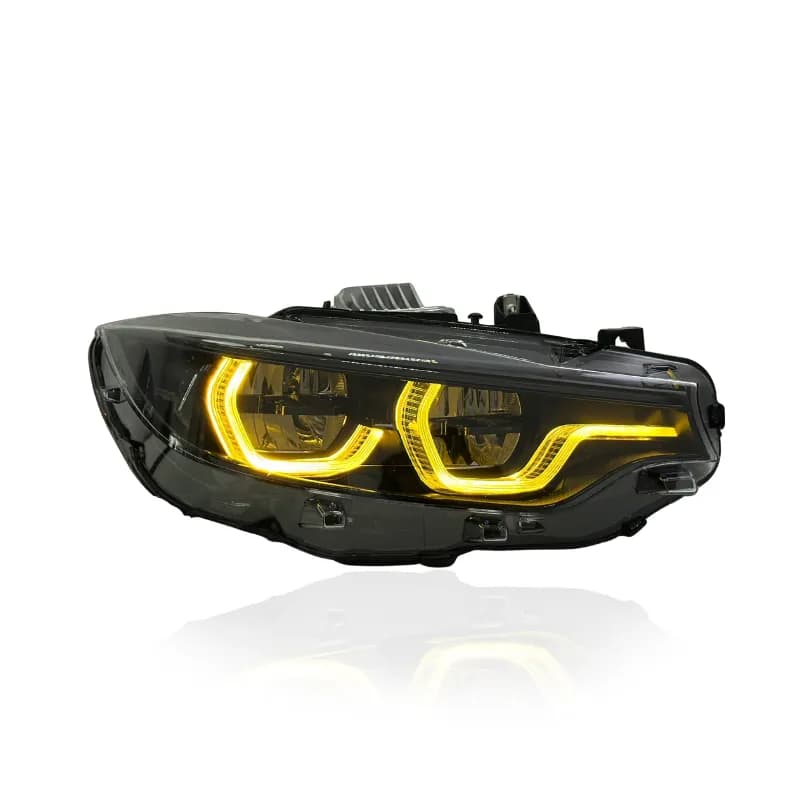
A practical ELERON guide for BMW 4 Series F32/F33/F36 and BMW M3 F80 / M4 F82/F83 headlight upgrades: ICON/CSL-GTS tri-color DRL options and Snake-Eye arrow DRL. Includes E-mark context, exact pin/SA-code fitment, DRL switching steps, install notes, coding expectations, and troubleshooting tips. Plus: why F3x angel eyes fail, OEM part number cross-reference, and what a modern bi-LED beam changes at night.
Related Products
SKU: YAA-F32-05817
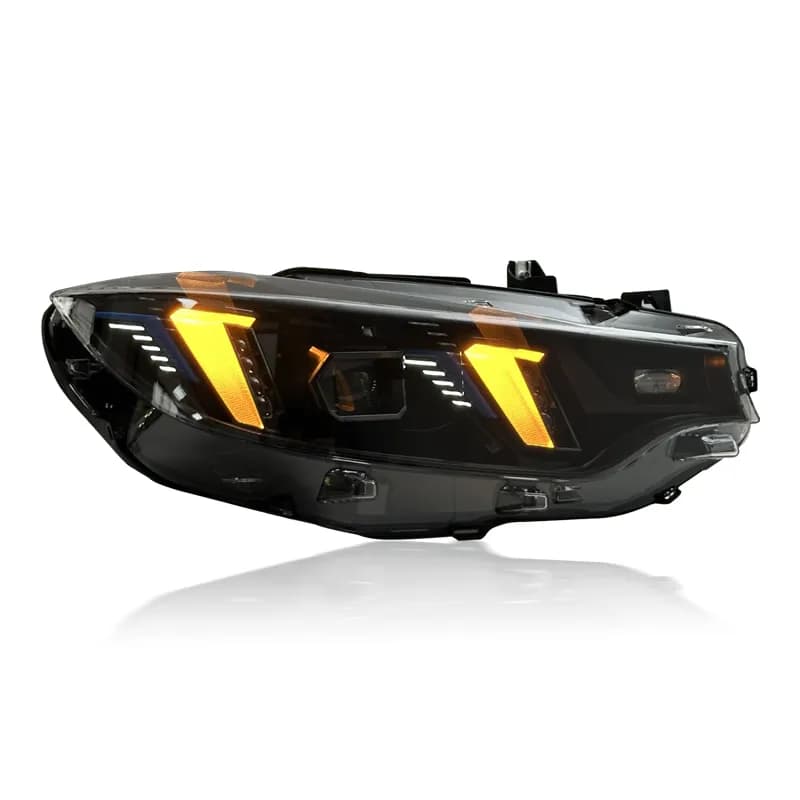
SKU: BMW-F32-05819
Related Vehicles
This guide covers ELERON headlight upgrades for BMW 4 Series F32 (Coupe), F33 (Convertible), F36 (Gran Coupé) — plus BMW M3 F80 and BMW M4 F82/F83 (pre-LCI & LCI, depending on connector version). You’ll learn why these headlights age the way they do, what to buy, how to pick the correct pin version, how the DRL modes work, and what to expect for install/coding.
If you only take one thing from this article: count the populated pins on your factory headlight connector first. It’s the fastest way to avoid ordering the wrong version.
1) Why F3x owners upgrade: failures, dim output, night driving
The F32 generation is now 6–13 years old, and its factory headlights have well-documented aging patterns. If one of these brought you here, you’re not alone:
Angel-eye DRL burnout (xenon cars)
The corona rings on pre-LCI xenon headlights are fed by small LED modules that suffer in the humid environment inside an aging housing. The classic pattern: one ring goes dim or yellow first, then dies — usually one side before the other. Because BMW doesn’t sell the rings separately, dealers quote complete assembly replacement, and quotes north of €1,500 per side are common. Board-level specialist repairs exist, but color match and lifespan vary.
LED & adaptive module faults (552 cars)
Factory Adaptive LED units have their own record — BMW’s service bulletin SI B63 09 14 covers F32/F33 cars with option 552 for one-side malfunctions, sporadic flickering while driving, and check-control warnings. Owners often report an “Adaptive Headlight Malfunction” message appearing right after a car wash: water finding a connector or module.
Condensation & water ingress
The number-one killer of these headlights. Aged seals let moisture in, the lens fogs after every wet week, and the trapped humidity is exactly what corrodes connectors and kills the DRL and control modules above. Once a housing breathes water, individual part swaps become temporary fixes.
Dim output at night
Xenon burners lose brightness gradually over the years — most owners never notice how much output has faded until they see a fresh unit next to theirs. Add a decade of lens hazing and night visibility on many F3x cars is genuinely reduced, which makes dark-road and winter commutes more tiring than they should be. If your search started with “F32 headlights too dim,” this is why — and brighter bulbs alone can’t fix hazed optics or aged reflectors. Modern bi-LED projectors restore a wide, long, white beam with a sharp cutoff.
2) Overview: which ELERON headlight style is right?
A) ICON / CSL-GTS Tri-Color (most popular)
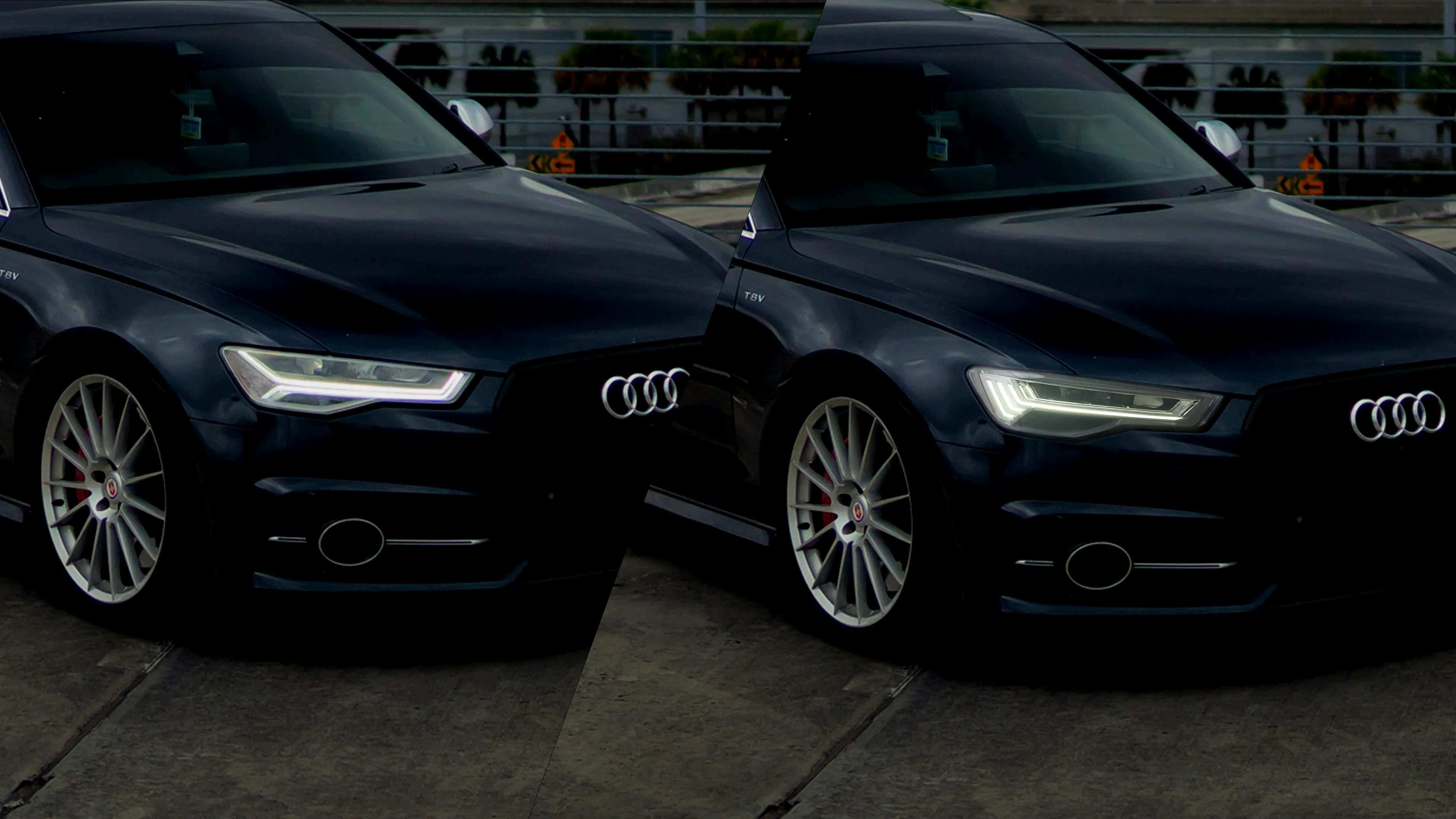
OEM-look, full-LED upgrade with clean light guides and strong bi-LED projector output. Run a subtle white-only OEM DRL for a factory finish — or choose CSL/GTS-inspired variants that add yellow, amber, or red options for a more aggressive signature when you want it.
- Best for: OEM+ daily look in white, with optional motorsport DRL modes.
- DRL variants: White-only • White+Yellow • White+Yellow+Amber • White+Yellow+Red.
- Signals: orange/amber LED turn signals with crisp diffusion.
B) Snake-Eye “Arrow DRL”
Full-LED upgrade with a bold arrow DRL look. DRL is switchable between OEM-white (~6000K) and selective yellow (~3000K) using the high-beam stalk.
- Best for: a standout DRL signature without going “full show build.”
- DRL modes: White ↔ Yellow.
- Output: bi-LED projectors with a sharp cutoff and strong night visibility.
Already running factory LED headlights and only after the CSL yellow signature? You may not need new headlights at all. For factory Icon Adaptive LED units, our switchable white/yellow F32/F33/F36 CSL DRL modules swap only the DRL board — factory headlights and every function stay in the car. The full story is in our CSL DRL modules guide. The complete headlights on this page are the right path when you’re coming from halogen/xenon, when a factory unit has failed, or when you want the ICON or Snake-Eye look itself.
Important: These headlights are sold in multiple connector versions. Your best move is to count the populated pins on your factory headlight plug and cross-check your VO/SA codes (examples below).
3) DRL modes & quick switching (high-beam stalk)
ICON / CSL-GTS DRL variants
- White-only OEM version: fixed white DRL (no color change).
- White + Yellow: flash 5× to toggle between White (~6000K) and Yellow (~3000K).
- White + Yellow + Amber: flash 4× white; 5× yellow; 6× amber.
- White + Yellow + Red: flash 4× white; 5× yellow; 6× red.
Tip: switch modes with the vehicle on and DRLs active. If the count doesn’t register, pause and repeat with steady timing.
Snake-Eye Arrow DRL
- flash 5× for yellow (~3000K)
- flash 4× for white (~6000K)
Best practice for daily driving: use the clean white DRL mode. Additional colors are a styling option often used for tuning builds and events — use as intended in line with local expectations. The full white/yellow legality logic is explained in our CSL DRL guide.
4) Exact fitment & pin guide (6/8/9/10-pin)
Supported platforms: F32/F33/F36 plus F80/F82/F83. Order the connector version that matches your factory plug.
| Factory lighting | Typical years | VO/SA codes (examples) | What to order |
|---|---|---|---|
| LED (LCI) — standard & adaptive | 2017–2020 | 5A2 / 552 | 6-pin |
| Xenon (Pre-LCI, non-adaptive) | 2013–2016 | 522 (no 524) | 8-pin |
| Adaptive Xenon (Pre-LCI) | 2013–2016 | 522 + 524 (AHL/AFS) | 9-pin |
| Adaptive LED (Pre-LCI) | 2013–2016 | 552 | 10-pin — the most popular version we ship |
The connector shell can look identical across versions. What matters is the number of populated pins. Always confirm by counting pins on the vehicle-side headlight plug. Not sure which factory headlights you have in the first place? Decode your VIN and option codes with our BMW headlight identification guide.
Pin Photo Guide (Tap to Enlarge)
Fastest way to avoid ordering the wrong version.
6-pin — LCI LED (2017–2020)
Both standard (5A2) and Adaptive LED (552) LCI cars. Confirm by counting populated pins.
8-pin (Xenon non-adaptive)
Typical 522 Xenon without 524 (no AHL/AFS).
9-pin (Adaptive Xenon)
Typical 522 + 524 (AHL/AFS) setups.
10-pin — Pre-LCI Adaptive LED (2013–2016)
Factory Adaptive LED (552) cars before the facelift — the version we ship most.
Tip: if your car is modified or has an unusual retrofit history, rely on pin counting first and VO/SA codes second.
OEM part number cross-reference
The fastest confirmation of all: read the BMW part number on your headlight’s housing sticker and match it below. Each factory number maps directly to one pin version.
| Factory headlight | Pin version | OEM part numbers (L / R) |
|---|---|---|
| Pre-LCI Bi-Xenon · 2013–2016 | 8-pin | EU L: 63117377843 / 63117377845 · EU R: 63117377844 / 63117377846 · US L: 63117377851 · US R: 63117377852 |
| Pre-LCI AHL Xenon (524) · 2013–2016 | 9-pin | EU L: 63117377839 / 63117377847 · EU R: 63117377840 / 63117377848 · US L: 63117377853 · US R: 63117377854 |
| Pre-LCI Adaptive LED (552) · 2013–2016 | 10-pin | EU L: 63117377841 / 63117377849 · EU R: 63117377842 / 63117377850 · US L: 63117377855 · US R: 63117377856 |
| LCI Standard LED · 2017–2020 | 6-pin | EU L: 63117478153 / 63117478151 · EU R: 63117478154 / 63117478152 · US L: 63117478155 · US R: 63117478156 |
| LCI Adaptive LED (552) · 2017–2020 | 6-pin | EU L: 63117478535 / 63117478157 · EU R: 63117478536 / 63117478158 · US L: 63117478159 · US R: 63117478160 |
This list covers the most common references; some market-specific or late-production numbers may not be listed. Number not shown? Send us your VIN and we’ll confirm. Curious how BMW’s 63 11 numbering works? See our headlight identification guide.
5) E-mark & “road-legal in white mode” (plain language)
ELERON headlight assemblies in this range are E-marked. For everyday driving, these kits are designed to run a clean white DRL mode. On multi-mode variants, additional DRL colors exist as a styling option — commonly used for tuning builds and events — so the best practice is simple: use white DRL mode for daily road operation and use as intended in line with local expectations.
Want deeper context on markings and inspections? See: E-mark & ECE lighting guide.
6) Install notes, coding expectations, aiming
Install (high-level)
- Disconnect the battery. Protect painted edges before removing bumper/trim.
- Remove the old headlight assemblies and transfer any required clips/brackets.
- Install ELERON housings and connect the correct pin version (6/8/9/10).
- Function check: low/high beam, DRL, turn signals, and DRL mode switching.
- Aim the headlights after installation.
For aiming basics and a clean cutoff setup, use: How to aim headlights.
Coding expectations (what’s normal)
- Pre-LCI Xenon → Full LED: some cars may need coding to prevent bulb checks or adapt lighting parameters.
- Adaptive (AFS/AHL) cars: if you move to non-adaptive headlights, coding may be needed so the car doesn’t expect adaptive functions.
- 10-pin Adaptive LED cars: fully supported and our most-shipped version — just confirm pin population before ordering so the correct harness version arrives.
If you see warnings, flicker, or fast indicator behavior, start here: CANBUS & LED error fixes.
7) Troubleshooting: warnings, flicker, hyper-flash
Dash warnings / bulb checks
- Confirm the correct pin version (6/8/9/10).
- Reseat connectors and check grounds (loose grounds cause intermittent behavior).
- If needed, an installer can adjust bulb monitoring (cold/hot checks) for relevant channels.
DRL flicker / unstable DRL switching
- Verify stable voltage (battery/charging health matters).
- Some cars use PWM for DRL control; coding or an anti-flicker solution may help depending on setup.
- Repeat the flash sequence with consistent timing.
Hyper-flash / indicator rate changes
If the indicator rate changes after installation, the car is usually detecting an unexpected electrical load. Start with connector checks, then review coding/monitoring settings. A general workflow is outlined here: CANBUS & hyper-flash fixes.
8) FAQs — ELERON BMW F3x / F8x headlights
Which version do I order: 6-pin, 8-pin, 9-pin, or 10-pin?
How do I switch DRL colors?
Do I need coding?
What’s the fastest way to get a clean beam pattern?
My factory angel eyes or DRL failed on one side — repair, OEM replacement, or upgrade?
Will these be brighter than my factory xenon or halogen at night?
I have factory LED headlights and only want the yellow CSL DRL — do I need new headlights?
Need help confirming your connector?
Send a clear photo of your vehicle-side headlight plug (showing populated pins) and your build info — we’ll point you to the correct version. For deeper reading, use the guides below.
© Eleron Lights — Headlights built for clean output, tidy fitment, and real-world usability. More articles.